

Overhead Group Selfie Fusion
Pro프롬프트 보기 프롬프트 닫기
Merge four characters from two reference images into one overhead group selfie. Tight composition, high-angle shot, Japanese visual kei style, bright even lighting, 3:4 aspect ratio.
Nano Banana · Powered by Gemini
Nano Banana의 이미지 생성과 편집을 살펴보세요. 마음에 드는 작품의 프롬프트로 MidassAI Studio에서 나만의 이미지를 만들어 보세요.
여기서 영감을 찾고 MidassAI Studio에서 창작하세요.
추천 작품
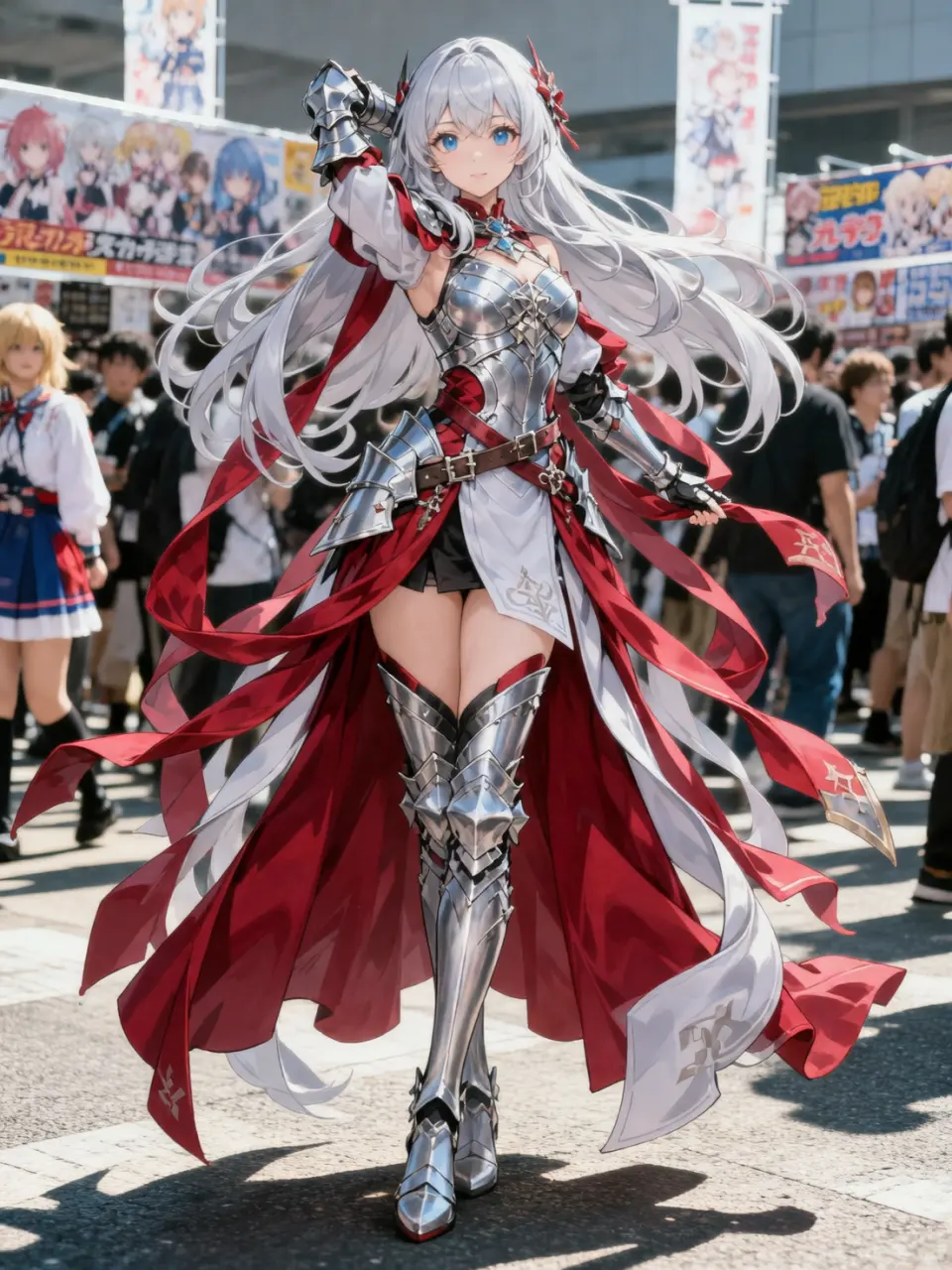
Generate a cosplayer photo wearing the illustrated costume, posing like the character, with refined makeup at an outdoor anime convention under strong sunlight.
추천 작품
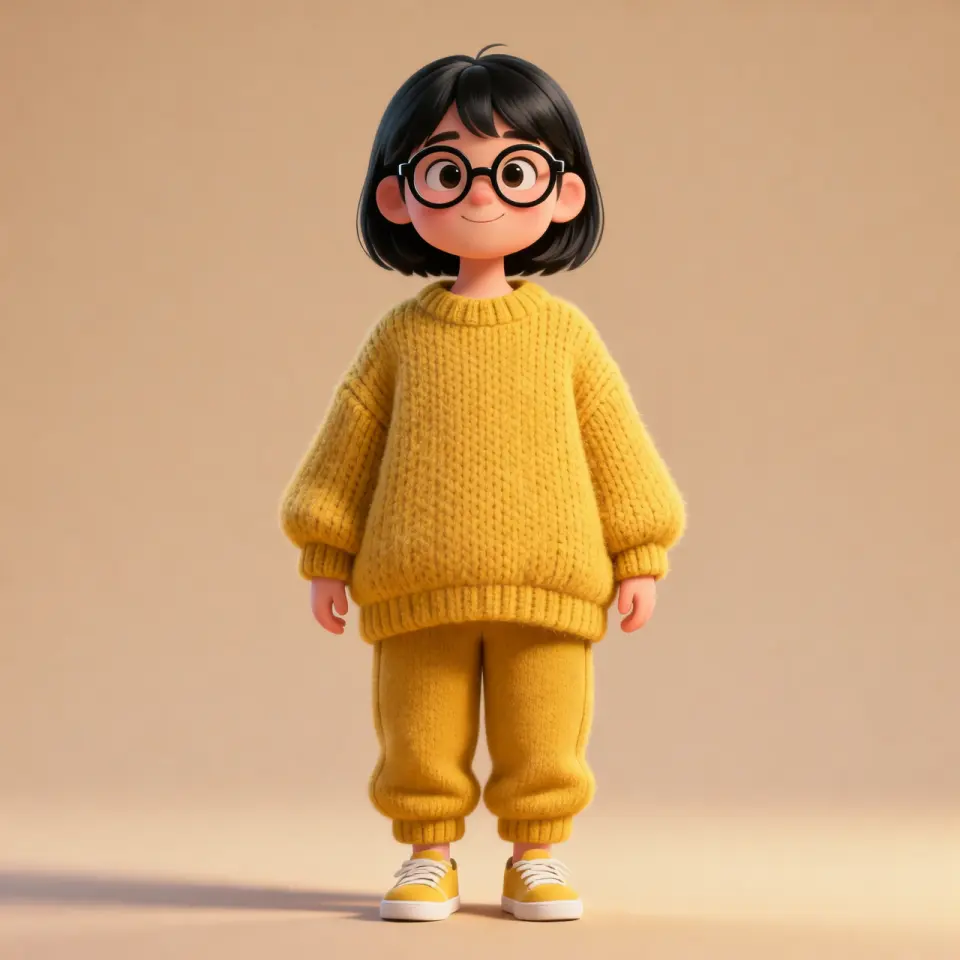
A cute 3D cartoon girl in an oversized mustard-yellow knit set, round black glasses, Pixar-like proportions, studio lighting, centered full-body shot, warm minimal background, 4K render.

추천 작품
Using the attached selfie, recreate the same person and outfit in an ultra-wide street fashion photo at night. Low angle, city neon bokeh, confident walking pose, dramatic perspective, editorial color grading, sharp face despite wide lens.
추천 작품
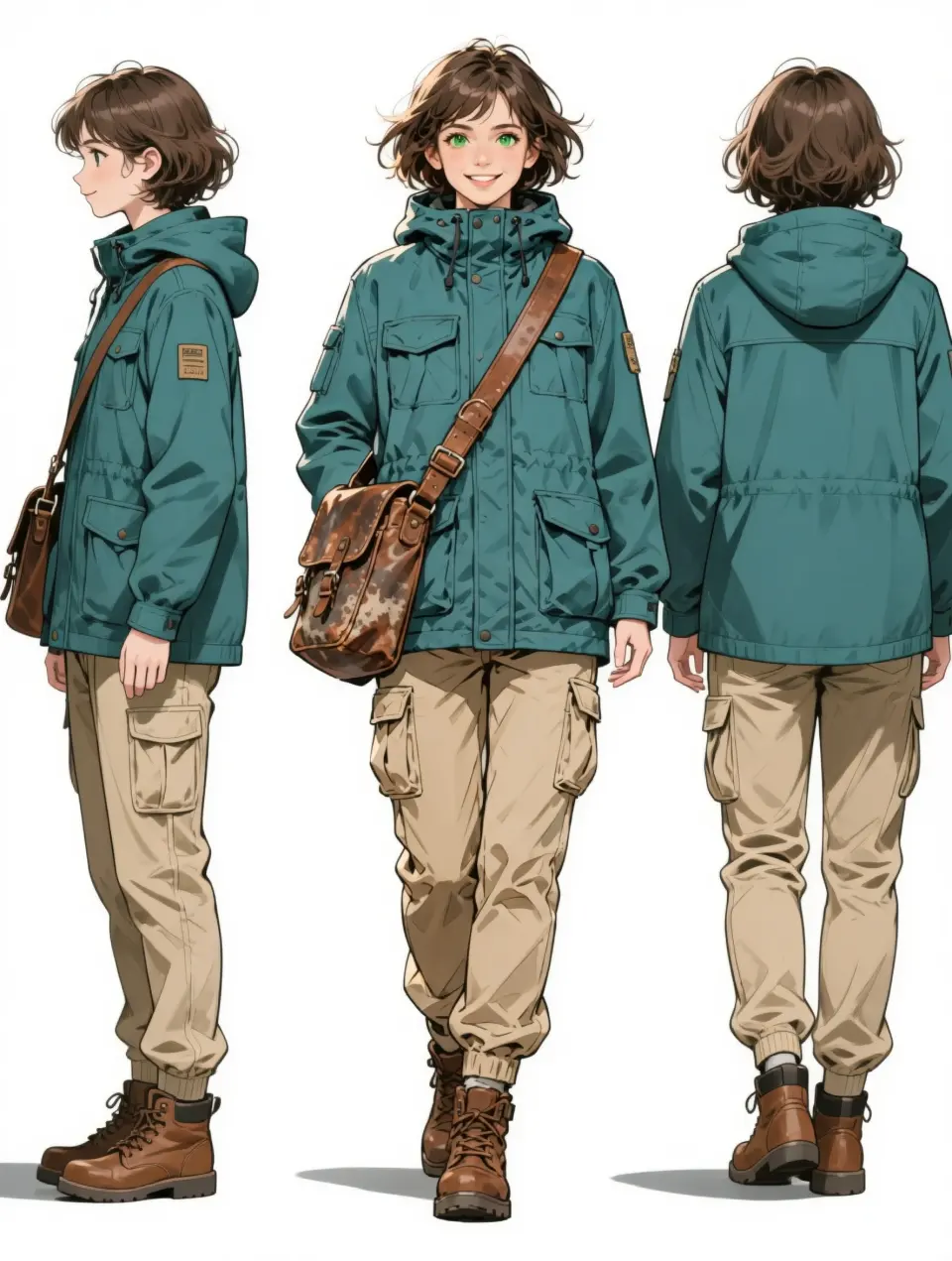
From the uploaded character, create a horizontal turnaround sheet: front view center, left profile side view, back view right. Keep outfit, colors, and proportions consistent across all three angles. Clean white design-board background.
프롬프트 모음
마음에 드는 스타일의 프롬프트를 열고 나만의 작품으로 바꿔 보세요.
사례 6개
Merge four characters from two reference images into one overhead group selfie. Tight composition, high-angle shot, Japanese visual kei style, bright even lighting, 3:4 aspect ratio.

Using the attached product packshot, composite the serum bottle onto a sunlit marble bathroom vanity. Add soft window light from the left, realistic contact shadow, subtle reflection on the counter. Keep label text sharp and product scale natural.
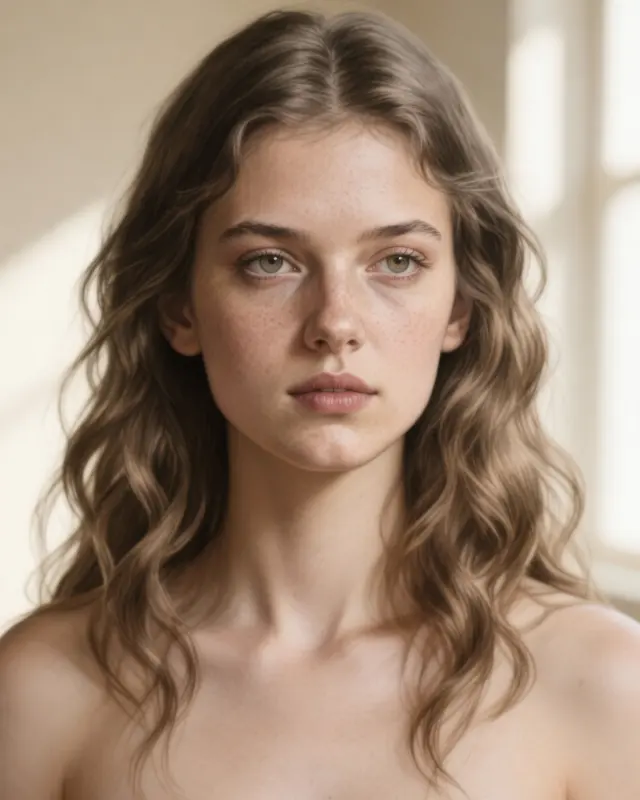
From the uploaded pencil sketch, render a photoreal portrait of the same woman. Preserve face structure and hairstyle. Add natural skin texture, soft window light, shallow depth of field, neutral cream background.

Using the attached interior photo, shift the scene to late-afternoon golden hour. Warm sunlight through windows, soft amber tones on walls and floor, realistic shadows, keep furniture layout unchanged.

From the reference food photo, create a polished restaurant hero shot. Side lighting, shallow depth of field, steam if appropriate, clean plate styling, appetizing color grade, dark moody background blur.

Using the attached logo image, place it on a matte kraft product box mockup at a slight angle on a studio surface. Match perspective, soft shadow, subtle paper texture, no extra text.
편집 전 → 편집 후
슬라이더로 원본과 결과를 비교하고, 프롬프트에서 변화의 과정을 살펴보세요.

 참고 원본 생성 결과
 Glossy Lip Four-Panel Mood Collage
Using the attached portrait as the subject, create a 2×2 cinematic collage of the same woman with glossy lips. Top-left: cool, direct gaze. Top-right: playful wink. Bottom-left: shy lip bite. Bottom-right: bright laugh. Analog film grain, soft focus, hydrated skin texture.

 참고 원본 생성 결과
 Panoramic Character Concept Sheet
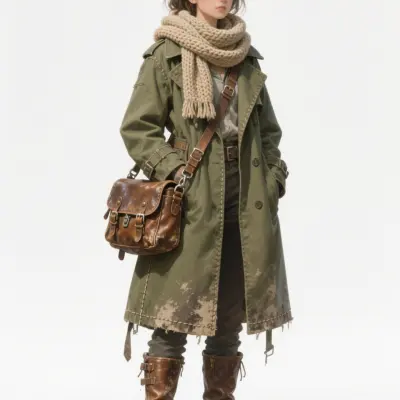
From the uploaded character, generate a panoramic concept breakdown: full-body center pose, surrounding outfit layers, 4 expression head shots, material close-ups, and opened bag contents. Parchment-like background with handwritten notes.

 참고 원본 생성 결과
 Realistic Scale Figure on Desk
Create a 1/7 scale commercial figure of the illustrated character on a computer desk with a circular acrylic base. On the monitor, show the 3D modeling process. Add a toy packaging box with the original artwork beside the screen.
Capabilities
Four strengths that matter for real creative work — not just demo slides.
Refine any region with a sentence — no layers, masks, or complex tools required.
Blend references into one cohesive scene with consistent lighting and perspective.
Keep faces, outfits, and style stable across edits — ideal for comics and brand IP.
Gemini-backed semantics help scenes look physically and contextually correct.
Workflow
Four steps from upload to finished image.
Add JPEG, PNG, or WebP references — portraits, products, or sketches all work.
Describe the edit in plain language or paste a Showcase prompt.
Pick model tier, aspect ratio, and quality settings with smart defaults.
Download your result and iterate with follow-up prompts.

Nano Banana 2.1 의 참조 제한, 해상도 선택, 마이그레이션 체크를 이해하세요. 구글 문서 링크 및 원본 다이어그램을 포함한 상세 분석 가이드입니다.
나노바나나 16 min read

나노 바나나, 나노 바나나 2, 프로 모델 선택 가이드. 빠른 초안, 히어로 자산, 이미지 내 텍스트 및 MidassAI Studio Nano 에서 모델 전환 시기를 확인하세요.
나노바나나 프로 9 min read

포스터 제목과 패키지 샷 텍스트 생성 팁. 나노 바나나 프로 활용법, 6 가지 프롬프트 템플릿 및 미다스 AI 스튜디오 체크리스트를 확인하세요.
나노바나나 프로 10 min read
앱 전환은 그만. MidassAI Studio Nano 로 브라우저에서 Nano Banana 이미지 생성 및 편집. 설정, 프롬프트, 5 단계 크리에이터 워크플로우 확인.
나노바나나 13 min read

나노 바나나 참조 편집 시 디테일 보존법을 학습하세요. 복사 가능한 프롬프트, 라벨링된 이미지, 확대 비교 및 검토 체크리스트 포함.
나노바나나 18 min read

나노 바나나 프로 완벽 가이드: 워크플로우, 팁, 주요 사용 사례까지 한눈에 확인하세요.
워크플로우 14 min read
Pricing
Display pricing for Nano Banana on MidassAI Studio — checkout happens on the studio site.
Best for trying Nano Banana with light monthly usage.
$9 /month
Get StartedBetter value for steady creators who edit every week.
$18 /quarter
Get StartedOne-time access for long-term Nano Banana users.
$48 lifetime
Get StartedPrices shown for reference. Final billing is handled on MidassAI Studio.
Models
Flash-speed edits for everyday work — Pro when you need sharper text, higher resolution, and stronger consistency.
Quick answers before your first Nano Banana session
Nano Banana is an AI image generation and editing workflow powered by Google Gemini image models — natural language control, local edits, and multi-image fusion in one studio.
Click Start Creating Now — MidassAI Studio Nano opens in your locale. Upload an image or start from a text prompt; no separate app install.
이 사이트는 8개 언어를 지원합니다. 사례는 영어, 중국어 간체 및 번체로 제공되며 나머지 언어에서는 영어 사례를 표시합니다. Studio의 인터페이스 언어는 제품 내에서 확인하세요.
Pro is the higher tier for sharper text, stronger consistency, and larger output — use it when you need commercial-grade refinement.
No. We publish independent guides and link you to MidassAI Studio. For Google's official Gemini product, visit gemini.google.com.
Open Nano Banana Studio, paste a Showcase prompt, and try a real edit — portrait, product, or fusion.
Start Creating Now