

俯拍組合自拍融合
Pro展開提示詞 收起提示詞
將兩張參考圖中的四個角色融合為俯拍合照,緊湊構圖,高角度,日系 visual kei 風格,光線均勻,3:4 比例。
Nano Banana · 由 Gemini 驅動
用 Nano Banana 探索 AI 生圖與修圖。從一張喜歡的作品開始,找到提示詞,再到 MidassAI Studio 創作你的版本。
在這裡發現靈感,在 MidassAI Studio 完成創作。
精選作品
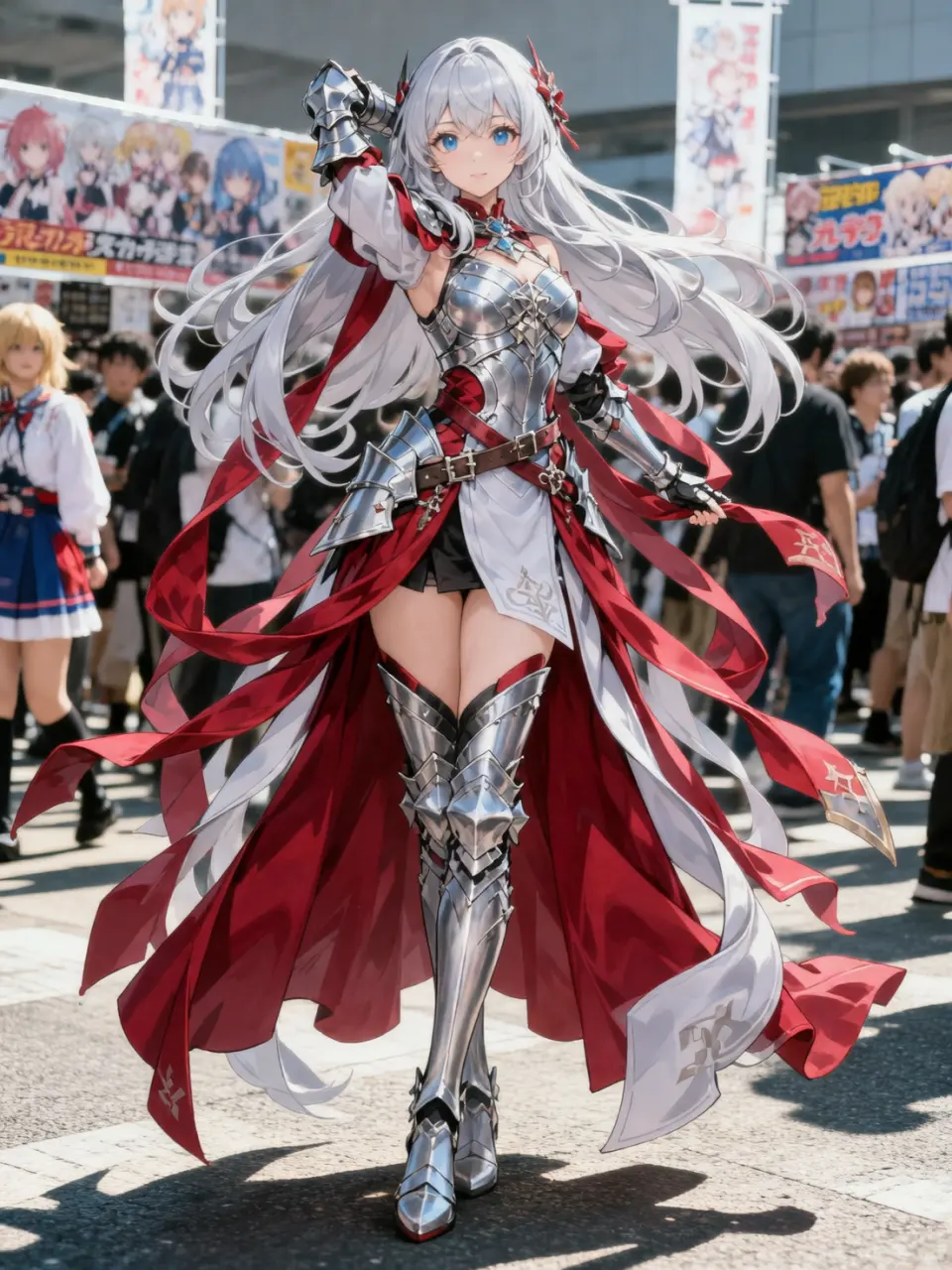
生成穿著插畫服裝的 coser 照片,姿勢還原角色,精緻妝容,戶外漫展強日光場景。

精選作品
可愛 3D 卡通女孩, oversized 芥末黃針織套裝,圓框黑眼鏡,Pixar 比例,影棚光,居中全身,暖色極簡背景,4K 渲染。

精選作品
以附件自拍為基礎,保持同一人物與穿搭,生成夜間超廣角街拍。低機位、城市霓虹散景、自信行走姿態、戲劇化透視、雜誌級調色,廣角下面部仍清晰。
精選作品
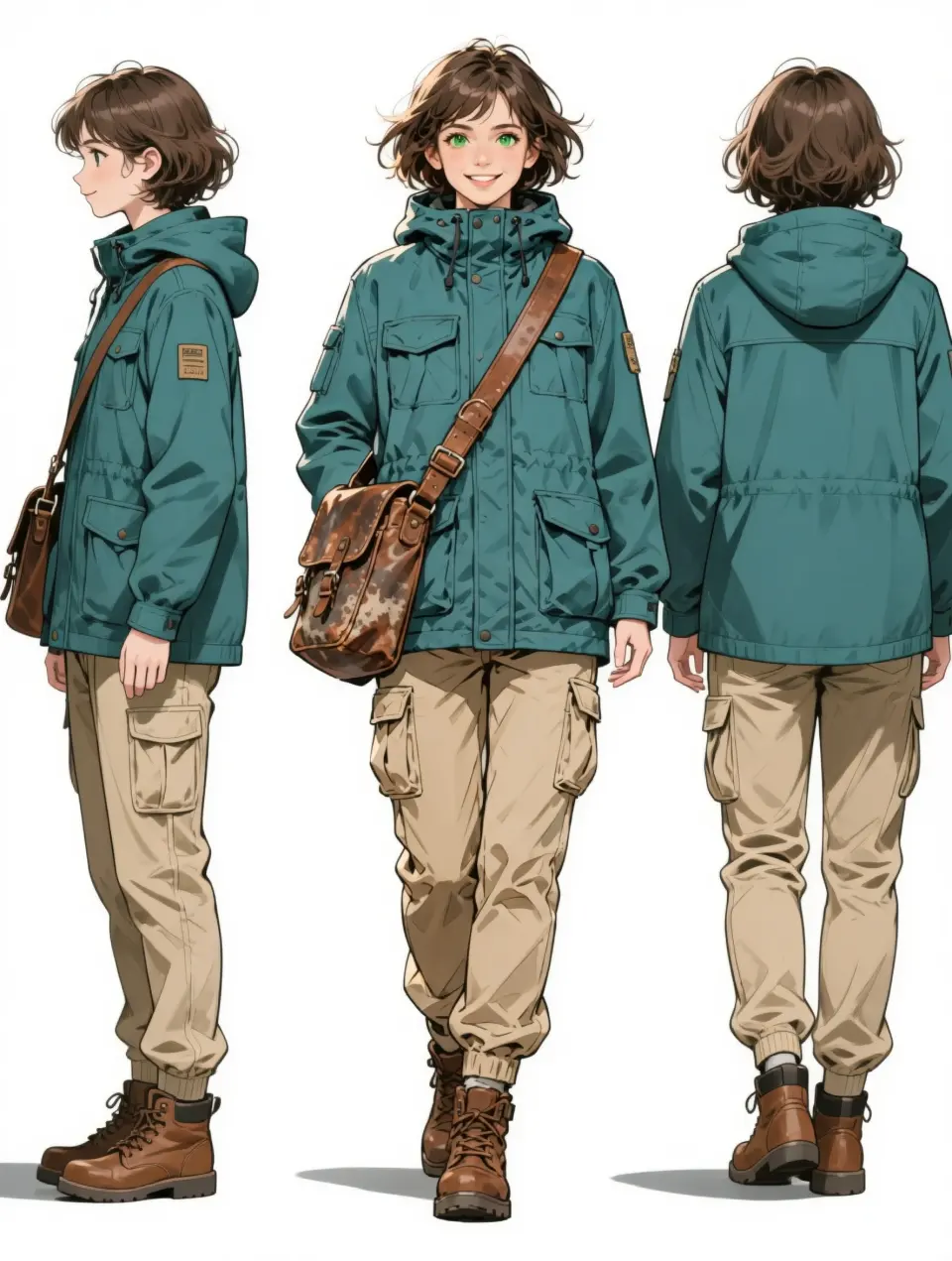
基於上傳角色,生成橫向三視圖:中間正面、左側側面、右側背面。服裝、配色、比例三視圖完全一致,乾淨白色設定板背景。
靈感提示詞庫
挑一種喜歡的風格,展開提示詞,把靈感變成你自己的創作。
6 個案例
將兩張參考圖中的四個角色融合為俯拍合照,緊湊構圖,高角度,日系 visual kei 風格,光線均勻,3:4 比例。

以附件產品圖為主體,將精華瓶合成到陽光照射的大理石洗手檯上。左側柔光窗光、真實接觸陰影、檯面輕微反射。保持標籤清晰、比例自然。

基於上傳的鉛筆素描,生成同一女性的寫實人像。保留臉型與髮型,添加自然膚質、柔和窗光、淺景深、中性米色背景。

以附件室內照片為基礎,將場景調整為傍晚黃金時刻。暖色陽光透過窗戶,牆面與地面呈現柔和琥珀色調,陰影真實,家具布局保持不變。

基於參考食物照片,生成精緻的餐廳主圖。側光、淺景深、適當蒸氣、乾淨擺盤、誘人色調,背景暗調虛化。

以附件 Logo 為基礎,將其貼到啞光牛皮紙產品盒 mockup 上,盒子略呈角度置於棚拍檯面。匹配透視、柔和陰影、紙張紋理,不添加額外文字。
從原圖到作品
拖動滑桿查看前後效果,展開提示詞,了解變化是如何發生的。

 參考原圖 生成效果
 光澤唇妝四格情緒拼貼
以附件人像為主體,生成 2×2 電影感拼貼:同一女性 glossy 唇妝。左上:冷感直視;右上:俏皮 wink;左下:咬唇害羞;右下:明亮大笑。膠片顆粒、柔焦、水潤膚質。

 參考原圖 生成效果
 全景角色設定拆解圖
根據上傳角色生成全景設定拆解:中心全身立繪,周圍服裝分層、4 種表情頭像、材質特寫、打開的包內物品。羊皮紙背景 + 手寫中文註釋。

 參考原圖 生成效果
 桌面 1/7 比例公仔場景
將插畫角色做成 1/7 商業公仔,放在電腦桌上,圓形透明底座。顯示器展示建模過程,旁邊放印有原畫的包裝盒。
創作能力
Four strengths that matter for real creative work — not just demo slides.
Refine any region with a sentence — no layers, masks, or complex tools required.
Blend references into one cohesive scene with consistent lighting and perspective.
Keep faces, outfits, and style stable across edits — ideal for comics and brand IP.
Gemini-backed semantics help scenes look physically and contextually correct.
創作流程
複製喜歡的提示詞,到 Studio 開始你的創作。
準備人像、產品或草圖,支援 JPEG、PNG 和 WebP。
用自然語言描述效果,或貼上案例中的提示詞。
依需求選擇模型、畫面比例和畫質。
下載作品,繼續透過提示詞調整細節。

深入了解 Nano Banana 2.1,包含參考圖限制、解析度選擇與遷移檢查,附有原創圖解及 Google 文件連結。
Nano Banana 10 min read

深入比較 Nano Banana 系列模型:何時使用快速草稿、何時生成主視覺資產、如何處理圖內文字,以及在 MidassAI Studio Nano 中切換模型的最佳時機。
Nano Banana Pro 6 min read

讓海報標題、包裝圖和封面文字在生成中存活。Nano Banana Pro 文字技巧、六個可改寫範本,以及 MidassAI Studio 檢查清單。
Nano Banana Pro 6 min read

跳過應用程式切換。透過 MidassAI Studio Nano 在瀏覽器中運行 Nano Banana 圖像生成與編輯—包含設置、提示詞及 5 步驟創作流程。
Nano Banana 9 min read

學習如何在 Nano Banana 參考編輯中保留細節,包含可複製提示詞、標註範例圖、近距離比較與審查清單。
Nano Banana 11 min read

掌握 Nano Banana Pro 完整指南:涵蓋工作流程、實用技巧與常見應用場景,提升 AI 繪圖效率與一致性。
工作流程 8 min read
創作方案
了解 MidassAI Studio 的方案,在 Studio 查看詳情並訂購。
適合初次體驗,探索日常生圖與修圖。
$9 /月
查看方案適合持續創作,逐步累積自己的工作流程。
$18 /季
查看方案適合長期使用,查看一次購買的具體權益。
$48 終身
查看方案此處價格僅供參考,具體權益和結算價格以 MidassAI Studio 為準。
模型選擇
日常嘗試從 Nano Banana 開始;更精細的任務可了解 Pro。
關於使用方式、語言與模型的常見問題
Nano Banana is an AI image generation and editing workflow powered by Google Gemini image models — natural language control, local edits, and multi-image fusion in one studio.
Click Start Creating Now — MidassAI Studio Nano opens in your locale. Upload an image or start from a text prompt; no separate app install.
本站支援 8 種語言。案例內容提供英文、簡體中文和繁體中文,其餘語言顯示英文案例。Studio 的介面語言以產品內選項為準。
Pro 適合對文字、細節與一致性要求更高的任務。具體可用模型、解析度和權益以 Studio 內顯示為準。
No. We publish independent guides and link you to MidassAI Studio. For Google's official Gemini product, visit gemini.google.com.
Open Nano Banana Studio, paste a Showcase prompt, and try a real edit — portrait, product, or fusion.
立即開始創作