
Character Turnarounds in One Prompt: Front, Side, and Back…
NanoBanana Team · July 19, 2026 · 7 min read
Keywords: character turnaround, nano banana pro, ai character generator, consistent character ai
Published: July 19, 2026 Author: NanoBanana Team
The Consistency Bottleneck in Character Design
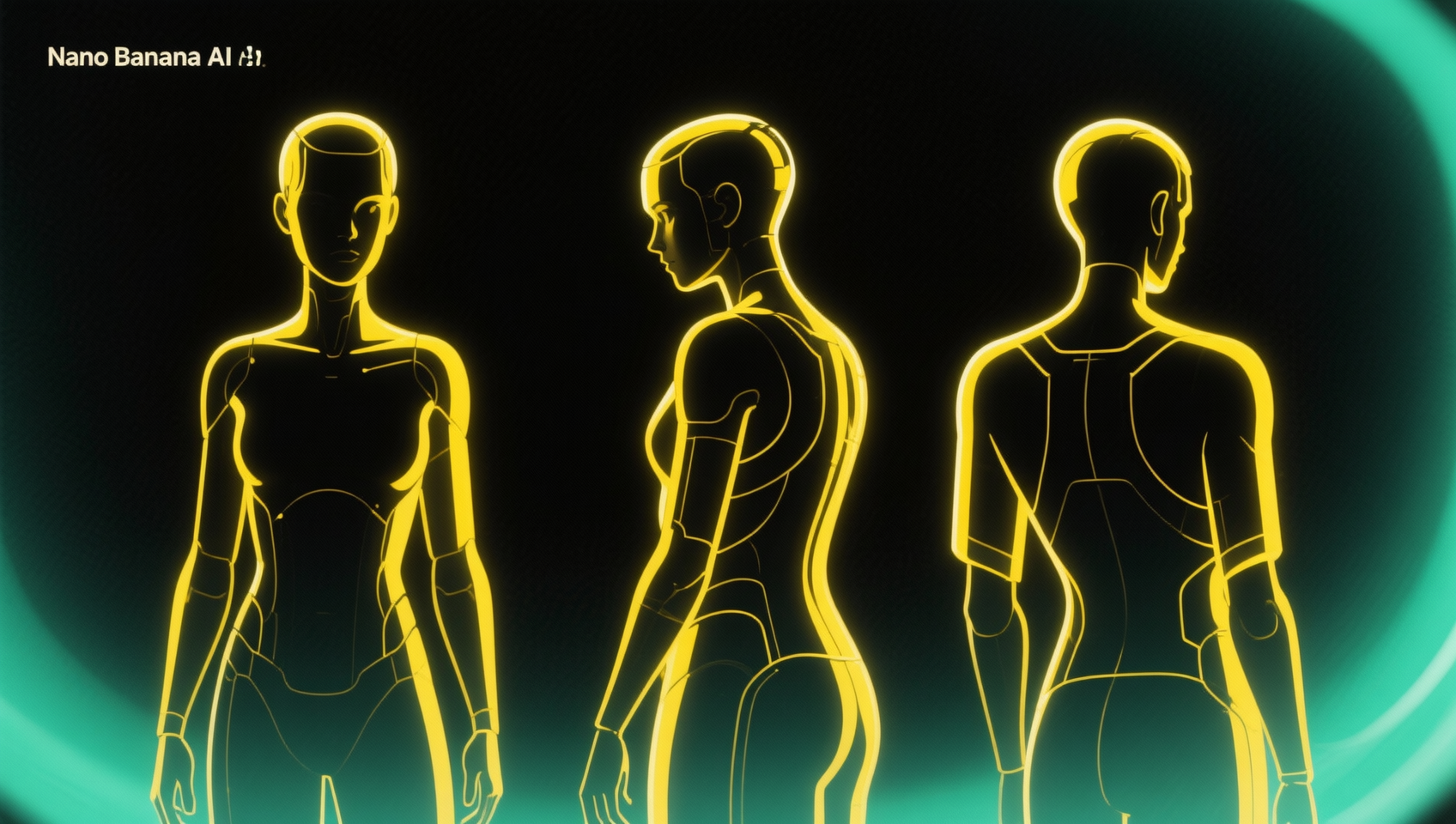
For concept artists and 3D modelers, the character turnaround sheet is a foundational asset. It defines the silhouette, proportions, and costume details from multiple angles, serving as the blueprint for animation rigs or game engines. Traditionally, producing a clean turnaround requires drawing the same character three separate times while maintaining exact proportions, lighting, and texture fidelity. This manual process is time-consuming and prone to drift, where the side view accidentally becomes slightly taller than the front view, causing headaches downstream in the pipeline.
AI image generation has historically struggled with this specific task. Standard text-to-image models often treat every generation as a discrete event. Asking for a "front view" and then a "side view" in separate prompts usually results in two different characters wearing similar clothes. The facial features shift, the color palette drifts, and the scale changes. This inconsistency renders the output useless for technical reference. Nano Banana Pro, available within MidassAI Studio, addresses this structural weakness by leveraging advanced context retention powered by Google Gemini technology. It allows creators to lock character identity across multiple orthogonal views within a single generation pass.
Who This Workflow Is For
This approach is not designed for casual meme generation or abstract art exploration. It is tailored for professionals and serious hobbyists who require structural integrity in their assets. Game developers needing sprite sheets for Unity or Unreal Engine will find this invaluable for rapid prototyping. 3D artists who need concept art to model against can generate precise orthographic references without hiring a dedicated concept illustrator. Additionally, writers and tabletop RPG players creating original characters (OCs) for visual novels or comic projects can maintain visual consistency across panels without needing advanced drawing skills. If your workflow requires a character to look identical from every angle, this tool bridges the gap between idea and execution.
Leveraging Reference Images for Identity Lock
The core mechanism behind generating consistent turnarounds in Nano Banana Pro is the use of reference images combined with semantic understanding. Unlike older models that rely solely on noise diffusion based on text, this system analyzes the uploaded source image to extract identity markers. These markers include facial structure, hair volume, costume patterns, and color hex codes. When you upload a single portrait or full-body sketch, the AI deconstructs these elements.
To maximize effectiveness, your reference image should be clean. Heavy shadows, complex backgrounds, or extreme perspective foreshortening in the source image can confuse the extraction process. A neutral T-pose or A-pose reference works best because it provides the model with clear data regarding limb length and torso width. Once the reference is uploaded, the system does not merely copy pixels; it understands the geometry of the character. This allows it to re-render the subject from angles that were not present in the original upload, effectively hallucinating the back view based on the front view data while preserving unique design elements like backpack straps or hair ties.
Constructing the Turnaround Prompt
While the image provides the identity, the text prompt provides the structural instruction. You do not need to write a novel to achieve this result. The prompt should focus on orientation and layout rather than re-describing the character. A common mistake is over-prompting details that conflict with the reference image. Instead, use directive language that specifies the output format.
Effective prompts often include terms like "character sheet," "orthographic views," or "turnaround reference." You should explicitly state the views required, such as "front, side, and back view." Lighting instructions are equally critical. To ensure the views are usable for modeling, specify "flat lighting" or "studio lighting" to avoid heavy shadows that obscure form. A sample prompt structure might look like this: "Character turnaround sheet, front side and back view, neutral pose, white background, flat lighting, consistent proportions." By keeping the text directive and letting the image handle the aesthetics, you reduce the chance of the AI inventing new costume details in the side view that do not match the front.
Quick Takeaways
Managing Lighting and Alignment
One of the subtle challenges in AI-generated turnarounds is lighting consistency. If the front view has light coming from the left, but the back view has light coming from the right, the character will look disjointed. Nano Banana Pro attempts to harmonize this, but user intervention yields better results. When configuring your generation settings, look for options related to lighting control or seed locking. Keeping the seed constant across variations ensures the noise pattern remains similar, which helps maintain texture consistency.
Alignment is another technical consideration. For a turnaround to be useful, the eyes, shoulders, and feet should align horizontally across the three views. While the AI strives for this, minor drifts can occur. It is advisable to generate the image at a higher resolution initially. This provides more pixel data for the alignment algorithms to work with. If the feet do not line up perfectly, this can often be corrected quickly in post-production software like Photoshop, but starting with a high-quality generation reduces the workload. Avoid asking for dynamic poses in a turnaround sheet; the purpose of this asset is technical reference, so neutral stances provide the clearest geometric data.
Common Pitfalls and How to Avoid Them
Even with advanced tools, specific edge cases can cause generation failures. Complex accessories are the most frequent source of errors. If a character has a flowing scarf or loose cables, the AI may struggle to render how these elements wrap around the body in the side or back views. They might disappear entirely or appear floating. To mitigate this, simplify the prompt regarding accessories or accept that minor manual cleanup will be required.
Symmetry is another area where AI can stumble. Human faces are not perfectly symmetrical, but turnaround sheets often require a level of standardization. If the AI makes the character look significantly different in profile due to a prominent nose or hairstyle, it may break the visual flow. Using negative prompts can help here. Terms like "distorted," "asymmetric," or "blurred" can be added to the negative prompt field to steer the generation away from common artifacts. Additionally, avoid requesting too many views at once. Sticking to the standard three (front, side, back) ensures the model dedicates enough resolution to each angle. Asking for a 3/4 view simultaneously can crowd the canvas and reduce the quality of the primary orthographic shots.
Integrating into Your Production Pipeline
Once you have generated your turnaround sheet, the file is ready for immediate use in downstream applications. For 3D modelers, import the image into your modeling software as a reference plane. Because the views are aligned, you can box model the character knowing the proportions match across axes. For 2D animators, these sheets serve as a style guide to ensure the character remains on-model during movement. The efficiency gain here is substantial. What used to take hours of sketching and correcting can now be achieved in minutes, allowing you to spend more time on refinement and less on initial blockouts.
The technology behind this, utilizing Google Gemini API integration within the Nano Banana framework, continues to evolve. As context windows expand, the ability to maintain consistency over longer sequences or more complex character sheets will improve. However, the current capability already offers a professional-grade solution for independent creators and studios alike. By understanding how to feed the system the right reference data and prompts, you transform the AI from a random image generator into a precise design tool.
Start Building Consistent Characters
The barrier to creating professional character assets has lowered, but it still requires the right tools and knowledge. Nano Banana Pro provides the engine, but your direction drives the result. Whether you are prototyping a new game IP or finalizing a character for a comic series, generating accurate turnarounds is the first step toward a polished final product. Stop wrestling with inconsistent generations and start building assets that hold up under scrutiny.
Ready to streamline your character design workflow? Access the full capabilities of this tool directly through the studio interface.