
Nano Banana Reference Edits: An Illustrated Workflow
NanoBanana Team · August 7, 2026 · 7 min read
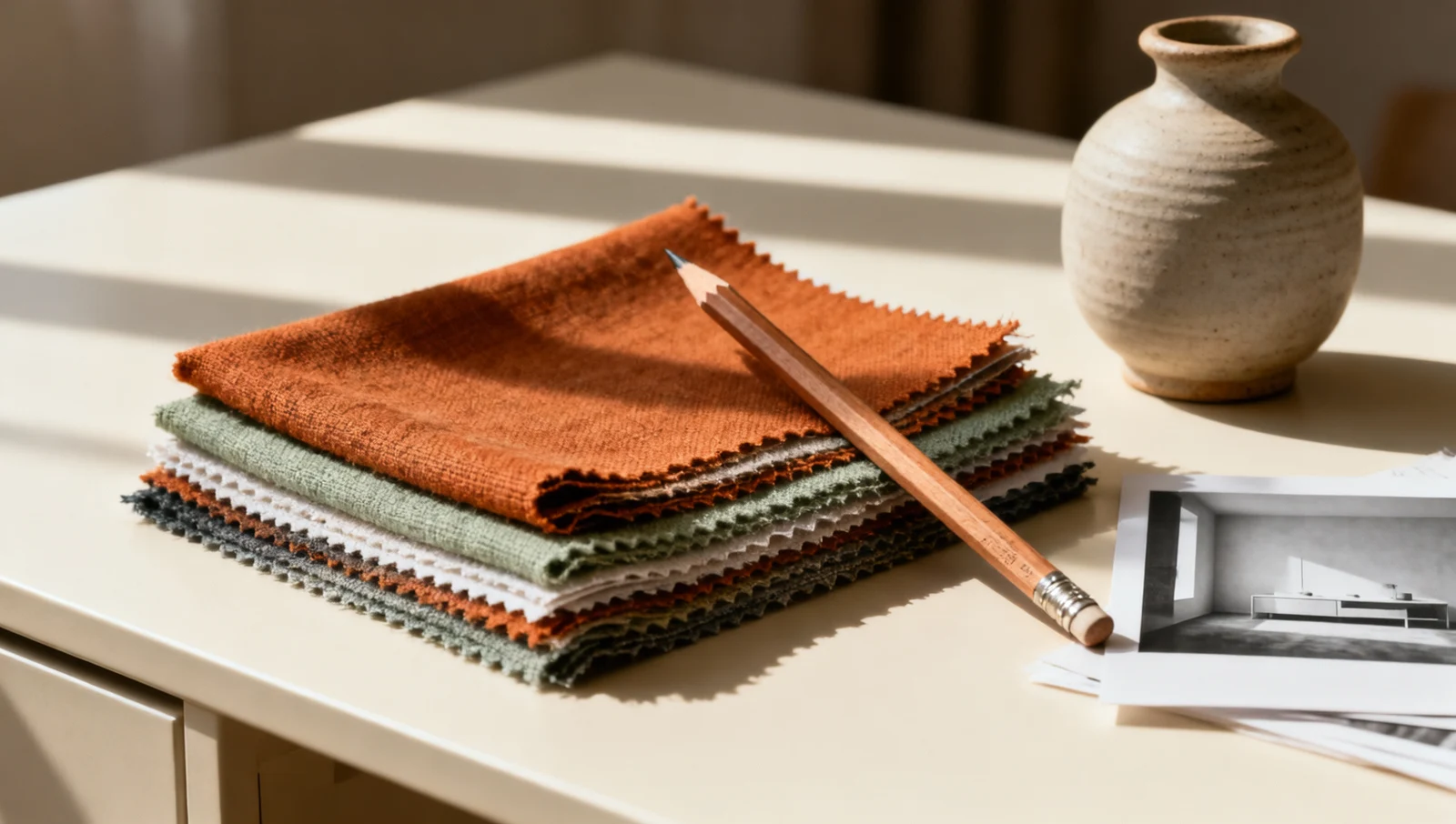
A good reference edit changes the requested detail while preserving the parts you already approved. Before writing a long prompt, split the brief into three decisions: what must stay, what may change and how you will judge the result.
This October update adds a visual walkthrough and the limitations documented for Nano Banana 2.1. The method is based on Google's image-editing guide, with our own prompt examples and review checklist. The room images below were generated with Wan to illustrate the exercise; they are not Nano Banana outputs or a Nano Banana benchmark. The annotations show our intended review areas, not an actual masking interface.
Start with a reference you can inspect
Use an image you own or have permission to edit. Pick a clear view with enough detail to assess the thing you want to preserve. If you care about a package label, a blurred label in the reference is a weak basis for checking whether the result is accurate. Do not ask the model to recover information that is not visible and then treat the invented detail as fact.
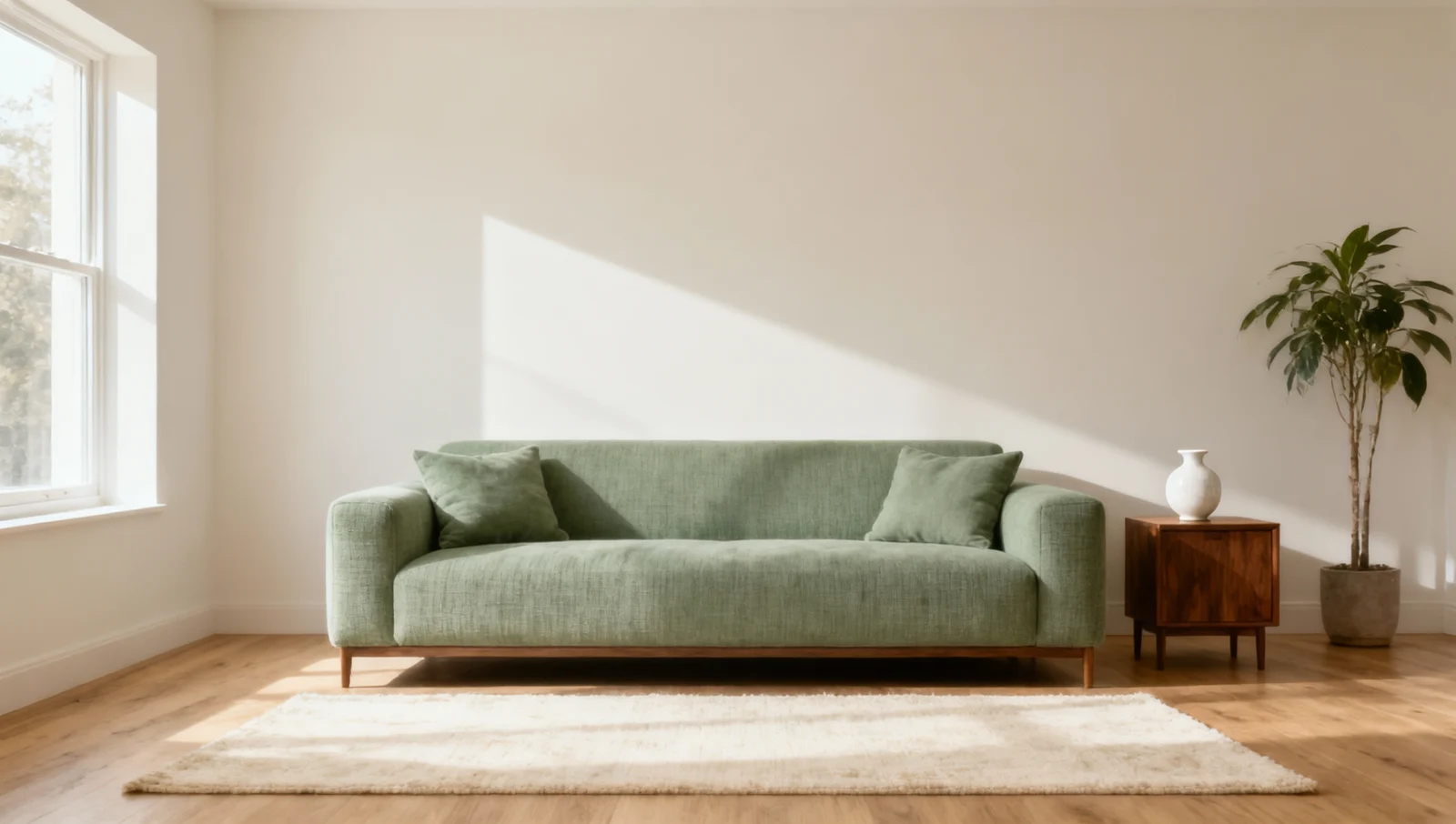
For this exercise, the task is to change the sofa upholstery while keeping the camera, window, side table and room arrangement. This narrow brief gives you several stable landmarks to compare. In your own work, write down equivalent landmarks: a bottle's shoulder, a portrait's hairline, a chair's leg position or a seam along a garment.
Keep the original file outside the chat and name each accepted revision. If a later edit drifts, return to the original or last accepted image. Continuing from an already incorrect result often turns a small repair into a chain of compensating instructions.
Separate preservation from the requested change
Write the stable elements first, then the single change. The following is an original suggested prompt for the exercise, not a claim that these exact words produced a Nano Banana result:
Use the uploaded room image as the reference.
Keep the camera position, window, wall, floor, side table,
plant and sofa silhouette unchanged.
Change only the sofa upholstery to warm rust-colored woven fabric.
Keep the same cushions and match the existing light and shadows.
Do not add furniture or change the crop.
Specific nouns are easier to check than a broad instruction such as “make this more premium.” The latter can invite a redesigned room, new furniture or a different camera angle. If you really want a redesign, say so; if you only want a material change, do not accidentally describe a new scene.
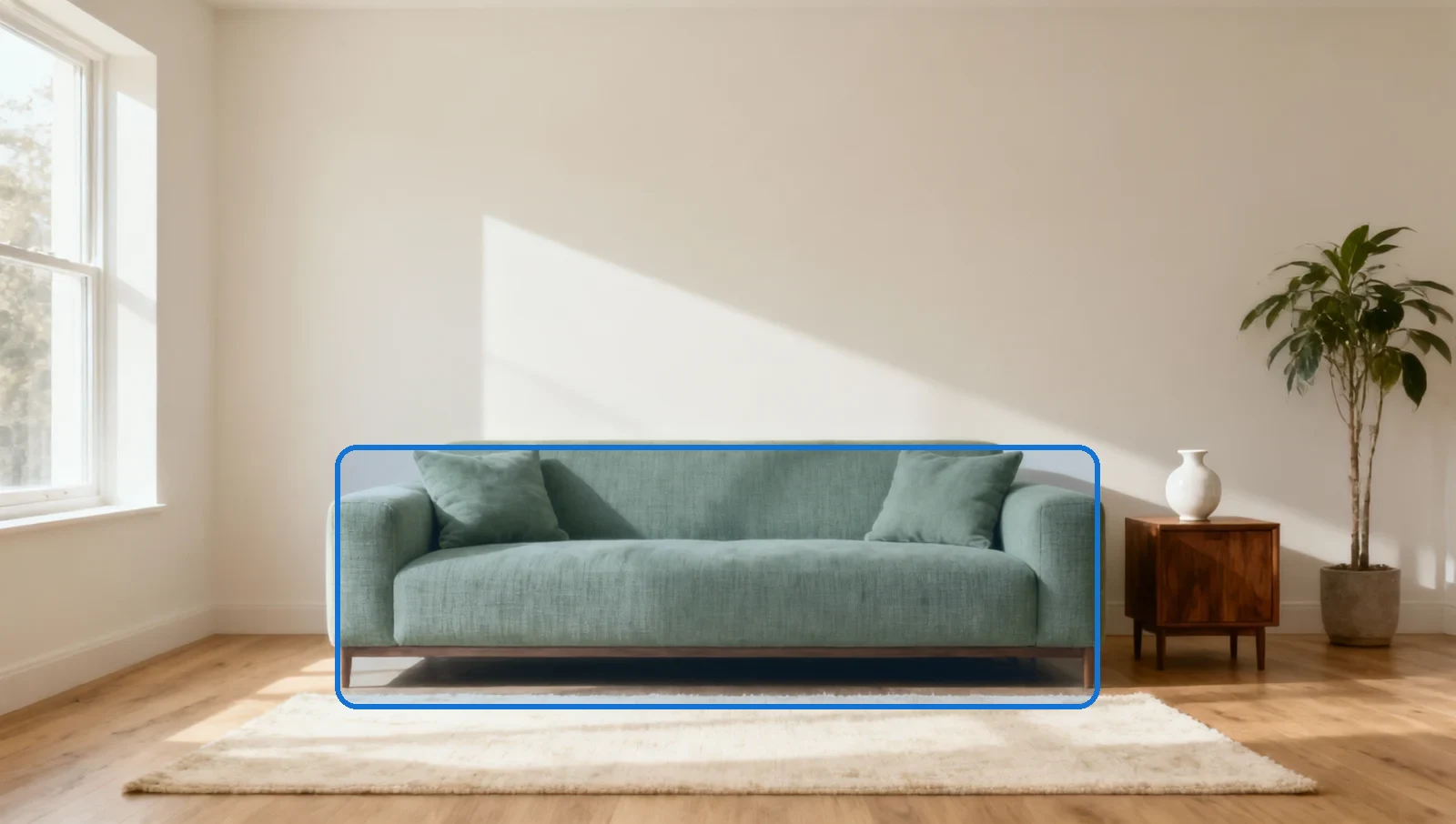
The highlighted area is an editorial annotation of the proposed change. Google's guide describes semantic masking: identifying a region conversationally, without assuming a particular brush tool exists in every interface. If your app provides a mask, check its instructions. This tutorial does not invent a mask-upload API or claim that MidassAI Studio exposes one.
Preservation language is an instruction, not a pixel lock. Even with a narrowly described edit, inspect objects outside the target area. A result can satisfy the new upholstery color while subtly moving the lamp or changing the window proportions.
Review the change and the surrounding scene
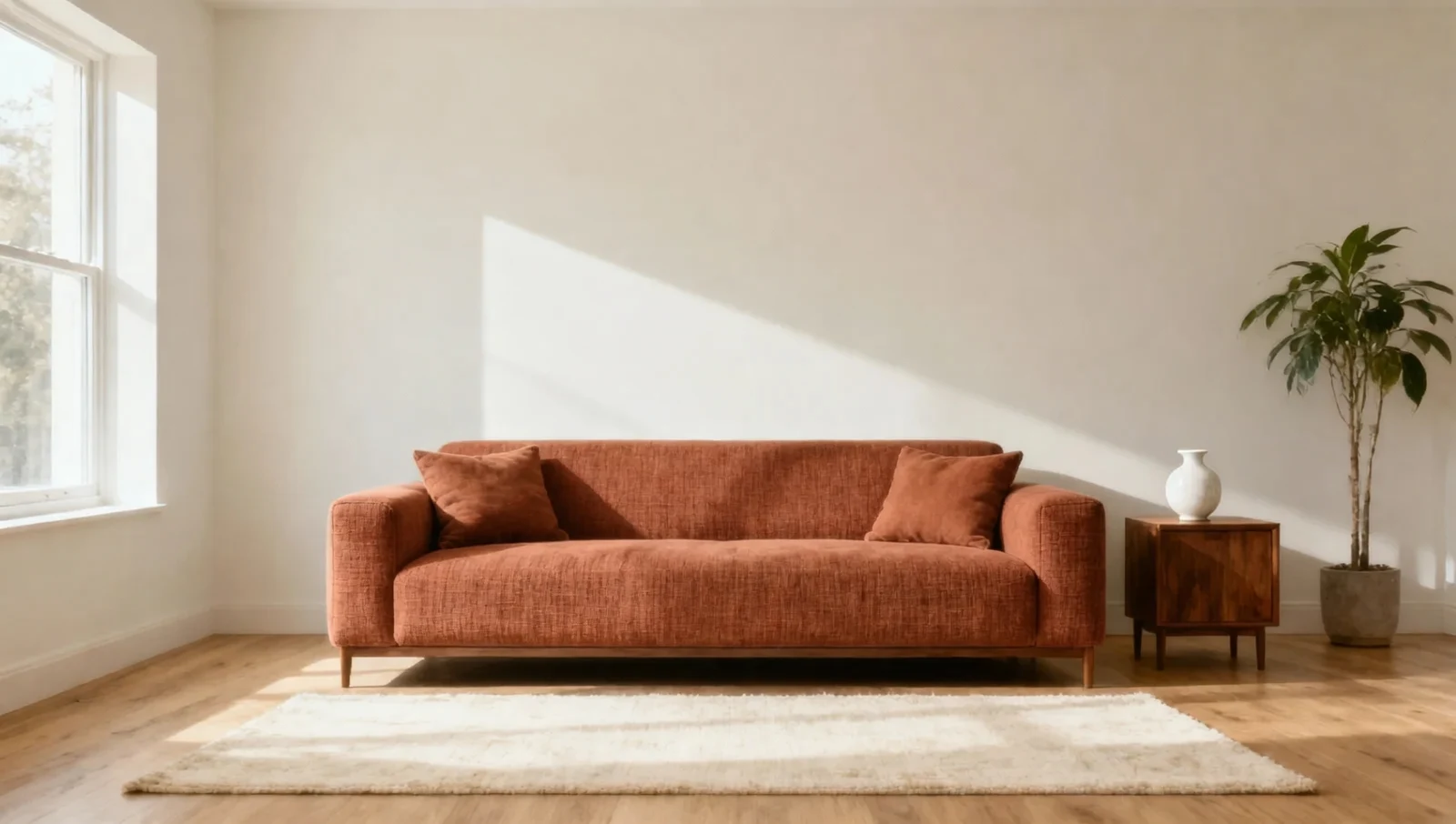
This Wan demonstration illustrates the kind of change the brief asks for. Compare it with the input instead of judging the edited image alone. Does the new material cover the intended furniture? Is the edge clean? Did the image quietly introduce an extra cushion, alter a table leg or soften the floor texture?
An attractive result and an acceptable edit are different judgments. For a mood board, small background changes may be harmless. For a product catalog or an interior proposal that must preserve a real layout, those same changes can make the image unsuitable. Write the tolerance before reviewing, so the decision does not change merely because you like the new color.
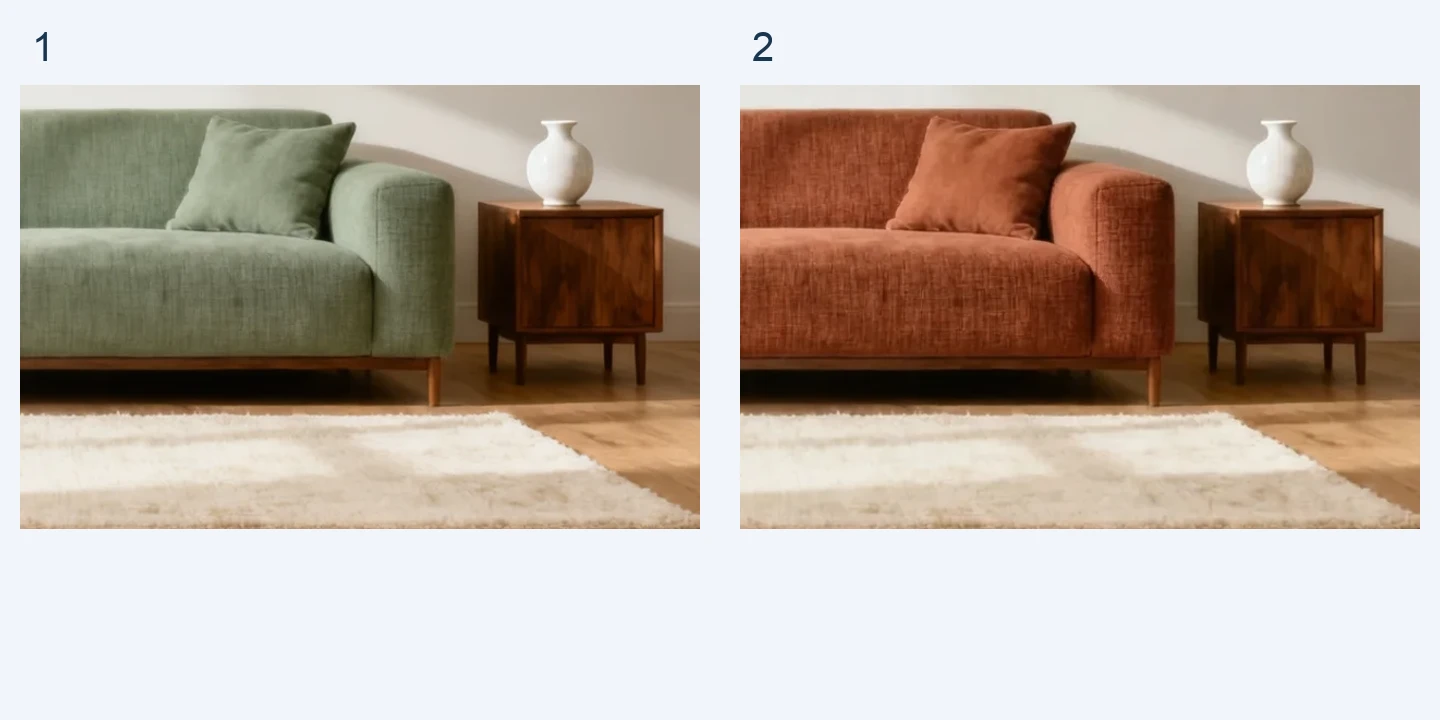
In this illustrative pair, the right-hand cushion becomes more upright and its outline changes. The sofa arm also looks rounder. If those details were preservation requirements, this result would need another pass even though the color change succeeded.
The detail comparison is a crop of the same illustrative images, not a separate generation or a model score. It shows why full-frame review and close-up inspection serve different purposes. First inspect the composition at delivery size; then inspect seams, edges and nearby objects at a larger scale. Avoid judging every pixel at extreme zoom if the final asset will be small, but do not hide a material defect by reviewing only a thumbnail.
| Check | Accept when | Revise when |
|---|---|---|
| Requested change | The new material is visible in the intended area | It spreads to nearby objects or misses part of the sofa |
| Preserved identity | Shape and important landmarks match the reference | The subject is redesigned or its proportions drift |
| Lighting | New texture fits the existing light direction | Shadows or highlights contradict the rest of the scene |
| Delivery | Crop and detail work at the intended display size | Essential detail is blurred, clipped or invented |
Make the next turn smaller
If the material is right but the side table changes, do not add another unrelated request. Return to the clean reference and clarify the side table as a preservation constraint. If the whole room is being restyled, remove atmosphere adjectives and keep the next prompt focused on upholstery.
For a second accepted edit, restate the important constraints instead of relying on “same as before.” A useful follow-up is: “Keep the accepted room layout, sofa shape and rust upholstery. Reduce only the saturation of the upholstery slightly. Preserve the existing light and crop.” This is a suggested test prompt; evaluate the result rather than assuming it will be exact.
The Nano Banana 2.1 model card still notes partial instruction following, spatial confusion and ink persistence in mask/doodle editing. A colored annotation can sometimes remain in an output. If you supply an annotated reference, check the final image for visible guide marks and keep an unmarked copy available.
Adapt the same method to portraits and products
For a portrait, list the face, hair, pose and garment details that matter before requesting a background change. Use consented images and avoid claiming that a pleasing generated face preserves someone's identity exactly. Compare the features the brief actually depends on, especially across several turns.
For product work, separate the product reference from the environment reference. Name their roles explicitly: “Image A defines the bottle and label; Image B defines only the background lighting.” Do not let a setting reference override product geometry. Where exact lettering matters, keep the source artwork and use a controlled layout tool for final label text if needed.
Google's current model documentation describes improved multi-turn consistency, but this is not a guarantee of unchanged details. Model capabilities, the Google API controls and a third-party app's feature menu are separate. Check the model actually available in your interface; this article does not confirm 2.1 availability in MidassAI Studio.
For the documented October changes, read our Nano Banana 2.1 release analysis. When preparing a real editing job, finish with one clear brief, the original reference and an acceptance checklist. Keep the first result only if both the requested change and the preservation rules pass that checklist.