
OOTD Method: Build Dense Character Concept Sheets from One…
NanoBanana Team · July 19, 2026 · 8 min read
Keywords: Nano Banana character sheet, AI concept art workflow, OOTD method AI
Published: July 19, 2026 Author: NanoBanana Team
Solving the Character Consistency Bottleneck
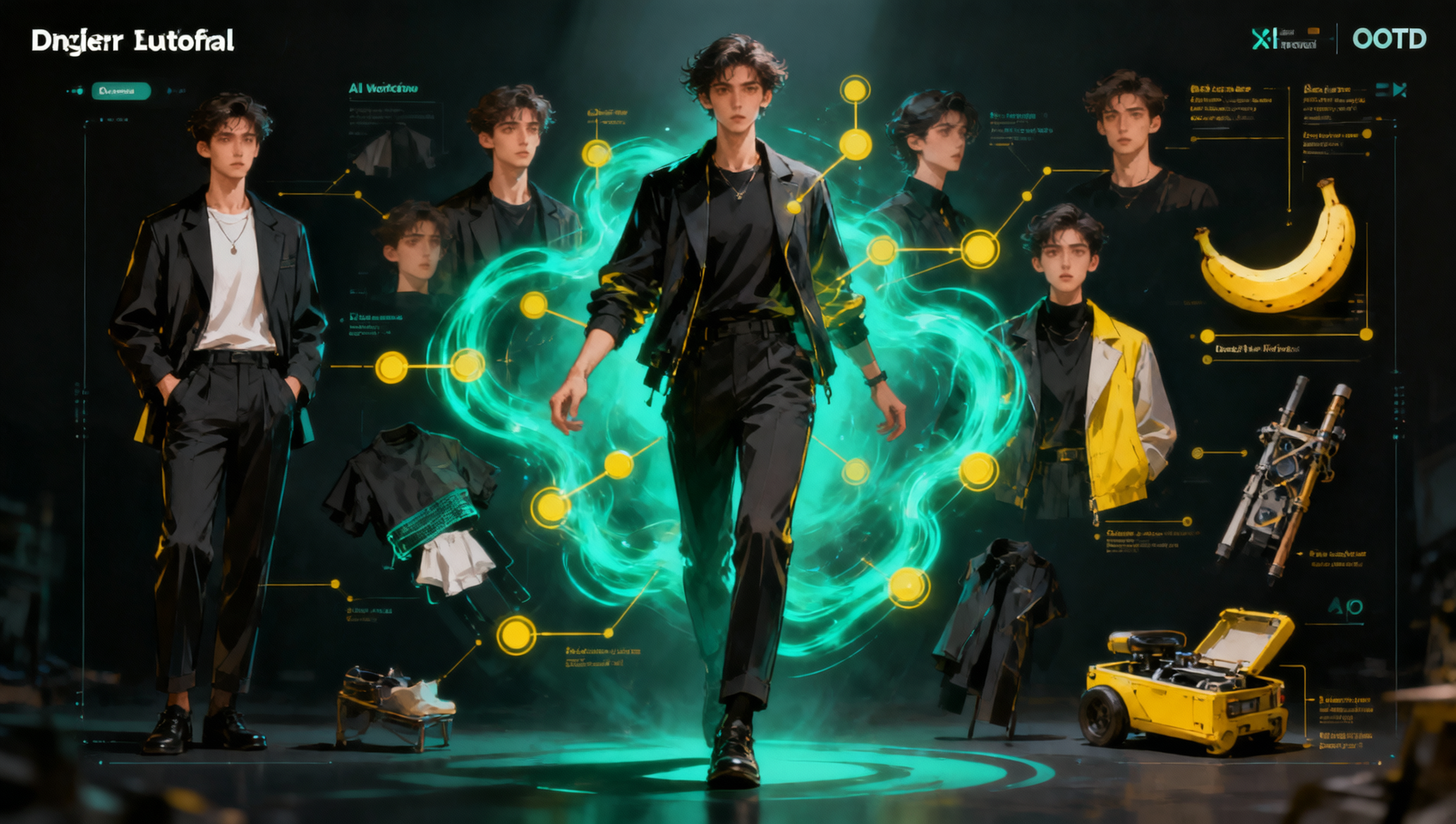
Maintaining a consistent character identity across multiple illustrations is one of the most persistent challenges in digital art and storytelling. Traditional character bibles require hours of manual documentation, detailing every stitch of a costume, every habitual expression, and every item carried in a pocket. For indie developers, writers, and concept artists, this administrative overhead often steals time from actual creation. The OOTD (Outfit of the Day) Method changes this dynamic by leveraging multimodal AI to reverse-engineer a full concept sheet from a single reference image.
Using Nano Banana within MidassAI Studio, creators can upload a single character portrait and generate a panoramic deep concept breakdown. This workflow does not merely replicate the image; it analyzes the visual data to infer outfit layers, expression sets, bag contents, and intimate life objects. The result is a dense asset library that maintains visual fidelity while expanding the narrative potential of the character. This approach shifts the workflow from manual drafting to curatorial oversight, allowing you to focus on storytelling rather than redrawing the same face fifty times.
Who This Is For
This workflow is designed for practitioners who need volume without sacrificing quality. If you are a novelist visualizing a protagonist for a book cover series, this method ensures your main character looks the same in chapter one as they do in chapter twenty. Tabletop RPG game masters will find this invaluable for generating handouts that show a NPC's gear and demeanor without needing commission art for every variation.
Concept artists working in pre-production can use this to rapidly iterate on costume variations. Instead of painting three versions of a jacket, you can generate the base layers and ask the model to visualize them in different conditions. Finally, comic creators who struggle with model sheets can use the OOTD breakdown to maintain consistency across panels. If your bottleneck is keeping track of details while trying to meet deadlines, this method removes the friction.
The Mechanics of the OOTD Breakdown
The core of this method relies on the multimodal capabilities of the underlying engine, which utilizes advanced Google Gemini technology within the MidassAI environment. When you upload a source image, the system does not just see pixels; it interprets semantic relationships between objects. It recognizes that a specific clasp belongs to a belt, or that a scar implies a specific history that might affect expression.
The "panoramic" aspect refers to the output structure. Rather than generating a single new image, the workflow prompts the AI to construct a comprehensive view. This includes deconstructing the outfit into wearable layers (base, armor, accessories), cataloging facial expressions (neutral, combat, social), and inventorying personal effects. The AI infers items not visible in the original photo based on the character's archetype and visible cues. For example, a mage with a worn staff might be generated with a pouch of components, even if the original photo only showed the staff.
Quick Takeaways
Deconstructing the Character Layers
To get the most out of this workflow, you must understand how the AI categorizes visual information. The OOTD method splits the character into three distinct zones of generation. The first zone is the Outfit Architecture. This is not just about color; it is about structure. The model identifies materials—leather, chainmail, synthetic fabric—and how they interact. When prompting for variations, you can request the same architecture in different weather conditions. The AI retains the silhouette while adjusting texture properties, ensuring the character remains recognizable despite environmental changes.
The second zone is Expression and Pose. A static concept sheet is limited. The OOTD method generates a set of expressions that align with the character's established personality traits inferred from the original image. If the source photo shows a stern demeanor, the generated smiles will likely be reserved rather than broad. This psychological consistency is crucial for narrative integrity. You can request specific emotional states, such as "exhausted after battle" or "negotiating," and the model adjusts lighting and muscle tension accordingly.
The third zone covers Intimate Life Objects. This is where the method shines for writers. The AI generates items that suggest a life outside the frame. A water bottle, a lucky coin, a specific type of journal—these objects tell a story. By prompting for "bag contents," you force the model to hallucinate logically consistent props. These items can then be used as focal points in future scenes or illustrations, providing visual continuity that feels organic rather than forced.
Prompting for Precision and Depth
Success with Nano Banana depends on how you structure your request. Vague prompts yield vague results. Instead of asking for "more details," specify the taxonomy of the details you need. Use directive language that separates the layers. A strong prompt structure looks like this: "Analyze the uploaded character. Generate a concept sheet separating outfit layers into base, outer, and accessories. Create three expression variants: neutral, aggressive, and weary. Inventory five personal items likely carried in their pack."
Parameters matter. When working in MidassAI Studio, adjust the creativity or temperature settings based on your needs. For strict consistency, keep creativity lower to prevent the model from reinventing the character's face. For exploratory phases where you want to see different interpretations of their gear, increase the variance. Always reference the original image in your text prompt. Phrases like "maintain the scar on the left cheek" or "keep the blue insignia on the shoulder" act as anchor points for the model.
Another critical tactic is iterative refinement. Do not expect the perfect sheet on the first pass. Use the first generation to identify what the model misunderstood. If it changed the eye color, your next prompt should explicitly forbid that change. "Regenerate expression set, lock eye color to hex #4A5D7F." This level of specificity trains the session to adhere to your visual standards. The tool is powerful, but it requires direction to align with your specific vision.
Avoiding Consistency Drift and Hallucinations
Even with advanced models, consistency drift is a risk. This occurs when the AI gradually alters features over multiple generations. To mitigate this, always return to the original source image as the primary reference rather than using previous generations as new bases. If you generate a sheet, then generate a pose based on that sheet, errors compound. Keep the original upload as the ground truth for all subsequent variations.
Hallucinations can also occur in the "intimate objects" category. The AI might generate technology or magic items that do not fit your setting's lore. You must act as the editor. Review the generated bag contents against your world bible. If the AI generates a smartphone for a fantasy character, correct the prompt to specify "pre-industrial materials only." The tool is a collaborator, not an autonomous author. It provides the visual density, but you provide the logical constraints.
Furthermore, watch for lighting inconsistencies. When generating multiple expressions, ensure the light source remains consistent across the sheet. If one image is lit from the left and another from the right, the sheet becomes unusable for 3D modelers or animators. Specify lighting conditions in your prompt, such as "studio lighting, key light from top left," to ensure all generated assets can be composited together later without extensive editing.
Integrating the Workflow into Production
Once you have your dense concept sheet, the real work begins. Import these assets into your project management tool or art pipeline. Use the outfit layers to create mix-and-match variations for crowd scenes. Use the expression sets for dialogue boxes in comics. The OOTD method is not just about creating a pretty image; it is about creating a functional asset library. By front-loading the detail work using Nano Banana, you reduce the need for corrections later in the production cycle.
This workflow scales. Once you have established a prompt structure that works for one character, you can apply it to an entire cast. This ensures that every character in your project has the same level of depth and documentation. It democratizes high-quality concept art, allowing solo creators to produce work that rivals larger studios in terms of preparation and consistency. The time saved on manual documentation can be reinvested into writing, coding, or refining the final renders.
To start building your own character bibles with this level of depth, you need access to the right multimodal tools. The OOTD method requires a platform that understands both image and text context simultaneously. MidassAI Studio provides the environment to run these complex workflows without needing local hardware setups.
Try Nano Banana in MidassAI Studio to upload your first character image and generate a panoramic deep concept breakdown today. Stop managing spreadsheets of character details and start generating visual assets that work as hard as you do.